Tag Archives: Do you like my Tolstoy Tattoo

The Girl With the Tolstoy Tattoo

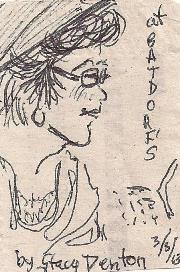
extra small caricature of connie  by street artist Stacey DentonYour blog is up. The Template is as well laid out as you could make it. You have your books or relevant social media listed in the sidebar. You have the catchiest blog title on the block. Now all you need to do is start blogging!

1. If you are using WordPress CHOOSE A CATEGORY NOW for your post–do it 1st so that you don’t forget to do it. I published this blog in the categories of Blogging, Self Publishing, Books, Fantasy, Literature, Humor, Publishing, and Writing.  Each blog post may have a different category. If you should forget to choose the category, it will go into the ‘uncategorized’ pile–the dreaded WordPress slush pile where blogs go to die.

Also in WordPress, chose a few TAGS now so that you do not forget to tag the post. That button is below the Categories list. Chose tags that most represent the core of your post, so that searcher for that subject will find it. For this post I am using ‘Blogging, Writing, Self Publishing, Humor, WordPress, Blogger’.   Also, ‘The Girl With the Tolstoy Tattoo.”

blogging 1.1

If you are using Blogger, PICK YOUR LABELS NOW–Blogger doesn’t use categories, so your labels are very important. On the right hand side, click on ‘LABELS’ and simply type your key words into the BOX, separated by commas. In Blogger, LABELS are what TAGS are in WordPress, so use words that are the core of what you are blogging about so that interested searcher will find your blog:

blogging 2.1

Now that you have that out-of-the-way, it’s time to blog!

2. Hook me with that catchy blog post title!  Today’s post is called “The Girl With the Tolstoy Tattoo” — for a multitude of reasons. I have a tattoo (it’s not Tolstoy) but we are all struggling authors, even those of us who blog on the most random subjects. And if you are ever at a writer’s convention, there is no better icebreaker in the autograph line than to offer to show Tad Williams your Tolstoy tattoo. (If you have one, and if you are insane.) (Be sure to add ‘Tad Williams’ to the Tags or Labels for that post.)

3. Put that catchy title in the White box at the top of the page:blogging 3.1

Now there are two paths for you.   You can wing it, keying directly into the Post box as I am doing now, or you can write it on a WORD document and copy and paste it into the body of the post.  I don’t do that often, because word is rife with HINKY FORMATTING that screws up your blog posts for both Blogger and WordPress, and then you have to use the handy “REMOVE FORMATTING” button that is located in the ribbon (tool box) of both Blogger and WordPress:

blogging 3.2

blogging 3.3

Both Blogger and WordPress have spell check functions, and both will save at times as you go, but as in everything, it is up to you to click “SAVE DRAFT” and save your work fairly frequently.

Play around with it. Practice uploading images and inserting them, playing with it until you feel comfortable and know how to ensure the image will appear where you want it, and will be the size you want it to be:

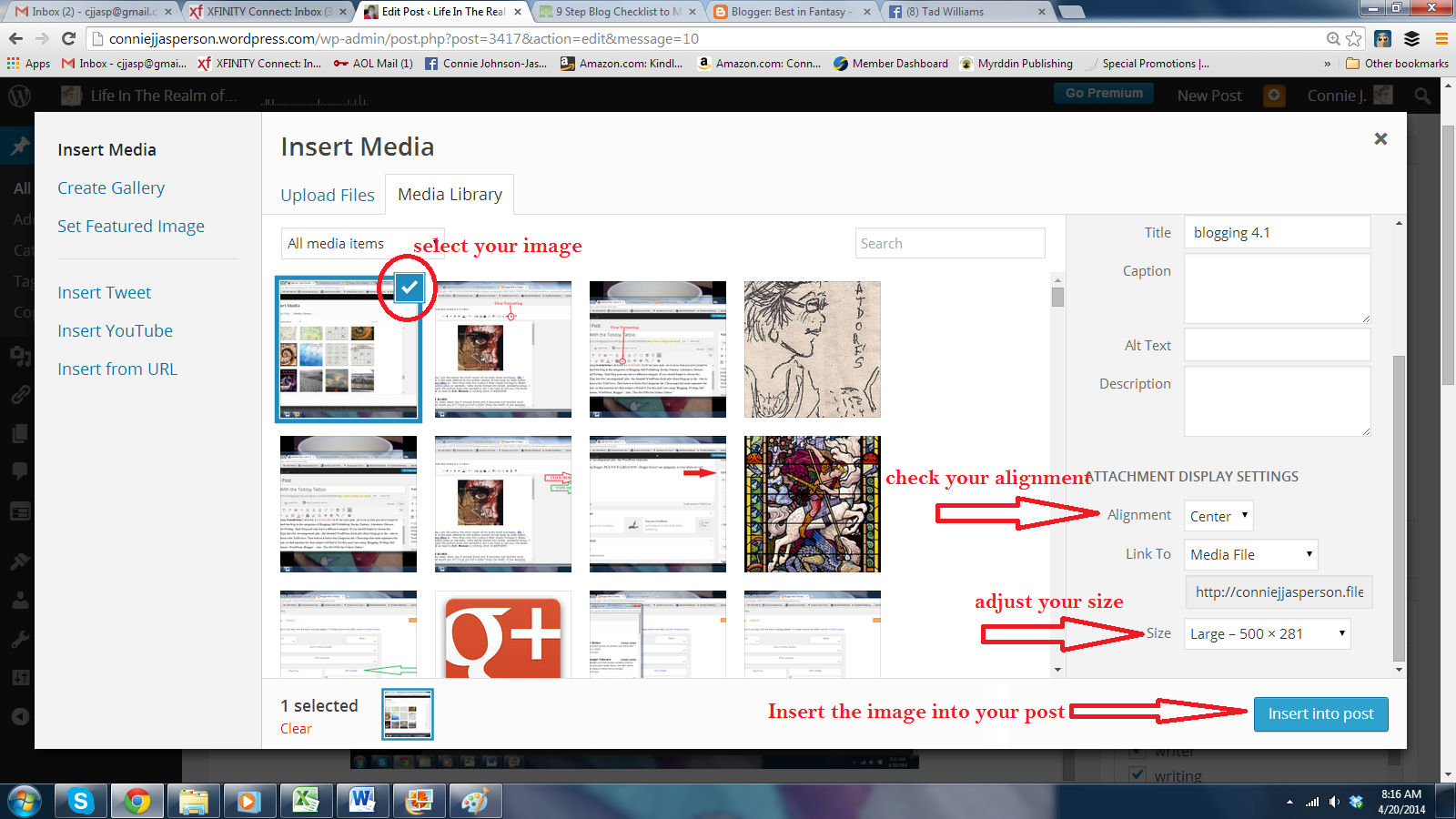
In WordPress, place your cursor in the body of the blog post and click once at the spot where you will want the image. Then scroll up to the left side of the ribbon (tool box) and click on “ADD MEDIA.” This menu will appear:


blogging 4.1

If this is your first blog post, you won’t have anything in your media library yet, so Click on “Upload Files.” Select the image you want to post,  then check your alignment, i.e. left, right, or center. Adjust your size options to fit your need for the image in that post (those requirements vary from post to post.) Then click ‘INSERT INTO POST.”
blogging 5.1


In Blogger you click on the little Picture in the ribbon (when you hover your mouse over it, it will say ‘insert image’). A pop-up menu will appear, and then you will upload the image, decide the placement and the size.  This nearly foolproof simplicity is why most people who have “never done this before” like Blogger.

blogging 6.1


Now your picture of your Tolstoy tattoo is right there, illustrating your hilarious post where you discuss why getting that tattoo while drinking vodka shots at the “Fans of Great Russian  Authors” convention wasn’t as good an idea as it seemed at the time, and that maybe the T-Shirt would have been a better investment.

leo_tolstoy_t_shirt-r207720cff4e14b059c7bba5cdb41c6c9_804gs_512 from Zazzle


All you have to do now is post your links to Twitter, Facebook, Tumbler and all other  social media you can think of and Voilà! You are a blogger. Do this regularly, and you will build up a following, and you will develop credibility as an author. Your name will be searchable on Google and Bing, and all other search engines.
3 Comments

Filed under Blogger, blogging, Books, Fantasy, Humor, Literature, Publishing, Self Publishing, WordPress, writer, writing

Spanking L. E. Modesitt Jr.

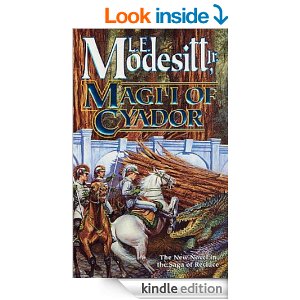
magii of cyadorI’m just going to say at the outset, I love L. E. Modesitt Jr. and his work.  But my very FAVORITE series of books has a huge failing–the MAPS SUCK!  In Fall of Angels,  The Chaos Balance, Magii of Cyador and Scion of Cyador, and all of which take place BEFORE the world of Recluce is dramatically altered, the main characters are traveling all over the continent to places that DON’T EXIST on the maps provided in the front of the books! (I’d add another exclamation point or two, but it would look like I’m hyperventilating.) (Gasp.)

798px-Diego-homem-black-sea-ancient-map-1559However, I do understand how such a thing happens.  Being an indie, I am responsible for providing some sort of mappy-thing in the front of my own books and that is where it actually gets a bit dicey.

The thing is–maps, unless they are drawn by satellite GPS, are inherently WRONG in regard to actual distances and such. All they can do is provide a general idea of where the cartographer thought things were.

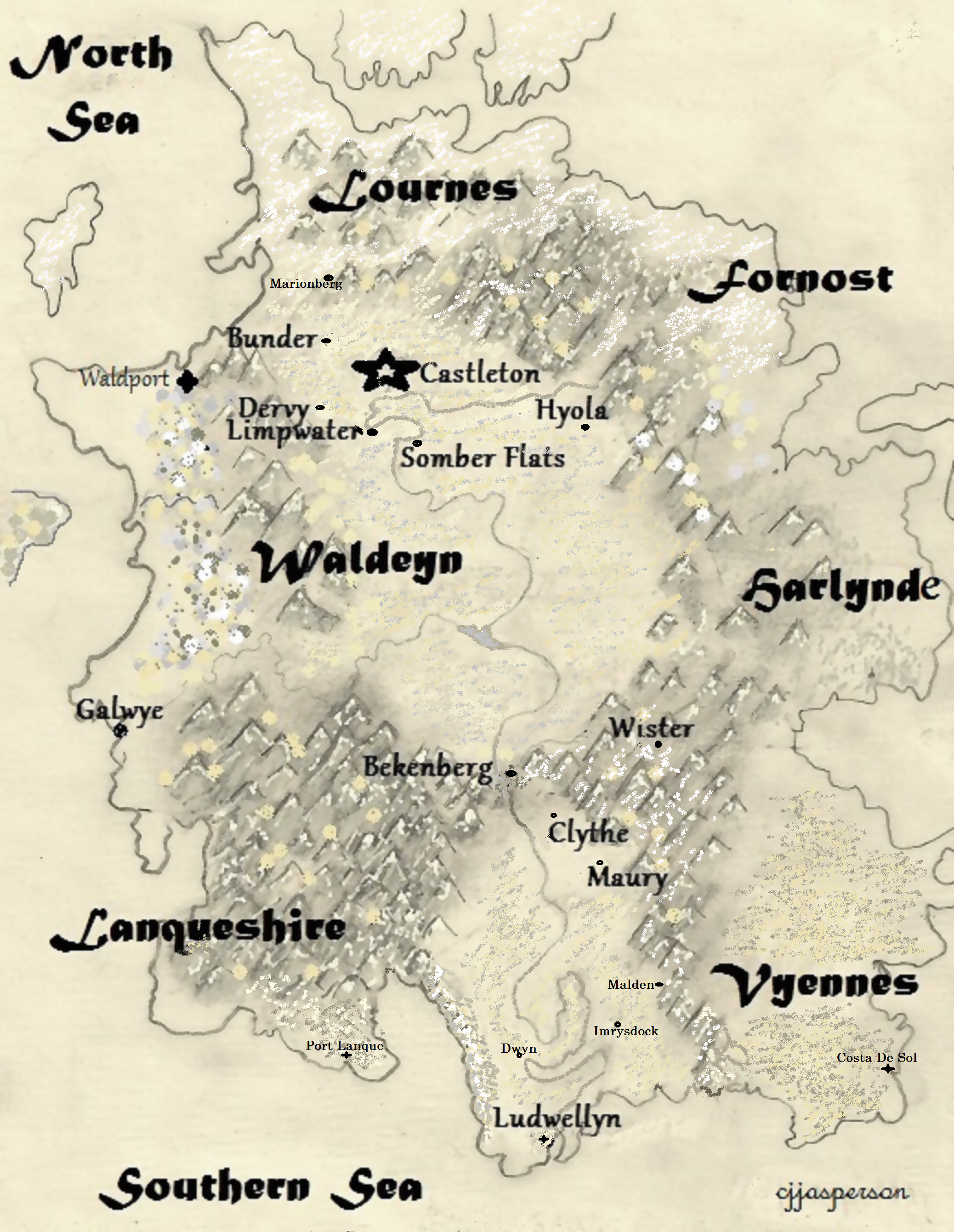
map of Waldeyn 2014As a tool, I draw my own maps, when I am writing the tale so I will have some idea of where the heck they are going, but I am not a cartographer. All maps drawn by me are only a picture of where one town might lay in relationship to another, a general idea of things.

Being an avid map checker, it frustrates me when there is no way to see what the author is talking about when he takes his characters from one place to another. I’m not asking for accuracy here, just a general scribble on the back of a napkin would be awesome–some indication of the direction and the lay of the land, such as mountains, forests and harbors.

BUT FOR THE LOVE OF TOLSTOY DON’T PUT MAPS IN THE FRONT OF THE BOOK THAT HAVE NO RELATIONSHIP TO THE TALE.

Cyador's HeirsL.E. Modesitt Jr. has a new Cyador book coming out in May, Cyador’s Heirs,  and I have already preordered it. I can hardly wait–it’s almost like waiting for Harry Potter!  Oh, mighty publishing giant who prints these wondrous creations PLEASE — make the bloody maps pertain to the actual book! Don’t make me stop this car!

2 Comments

Filed under Adventure, Battles, Fantasy, Humor, Literature, Publishing, writer, writing

Hyphen help us–

hyphenated wordsYou thought hell was getting that manuscript written and ready for submission. You thought the rest was going to be easy.

Oh, no, my friend.

True hell is discovered in the editing process of your manuscript. This is when you realize that (among other failings) your knowledge of  how hyphenated words really work is somewhat lacking.

Oh sure, everyone agrees that a compound word is a combination of two or more words that function as a single unit of meaning. Most of us even know that there are two types of compounds: those written as single words, with no hyphenation and which are called “closed compounds”– such as the word “bedspread,”  AND  the “hyphenated compounds,” such as “jack-in-the-box” and “self-worth.”

But there is a third group, and they are the bane of my life–those mysterious, ephemeral denizens of the deepest corner of writer’s hell, called open compounds. These seemingly innocent instruments of torture are written as separate words–the nouns “school bus” and “decision making,” for example.

But how do I tell if  it’s one word, two words or a hyphenated word?  

1. Do not use a hyphen unless it serves a purpose. If a compound adjective cannot be misread or, as with many psychological terms, its meaning is established, a hyphen is not necessary.

For example:

covert learning techniques, health care reform, day treatment program, sex role differences, grade point average

2. Do use one in a temporary compound that is used as an adjective before a nounuse a hyphen if the term can be misread or if the term expresses a single thought:

For example:

“the children resided in two parent homes” means that two homes served as residences, whereas if the children resided in “two-parent homes,” they each would live in a household headed by two parents.  In that case, a properly placed hyphen helps the reader understand the intended meaning.

IMG7663. We also use hyphens for compound words that fall into these catagories:

a. the base word is capitalized: pro-African

b. numbers: post-1910, twenty-two

c. an abbreviation: pre-ABNA manuscript

d. more than one word: non-achievement-oriented students

d. All “self-” compounds whether they are adjectives or nouns such as self-report, self-esteem,  self-paced.

4. We hyphenate words that could be misunderstood when there are diverse meanings if they’re unhyphenated:

re-pair (to pair again) as opposed to repair (to mend)

re-form  (to form again) as opposed to reform (to improve)

5. We hyphenate words in which the prefix ends and the base word begins with the same vowel:

metaanalysis, antiintellectual

But really, unless you are a technical writer, how often are we going to use these terms? Hence, the confusion when we DO use them.

Getting it write online dot com says, “One way to decide if a hyphen is necessary is to see if the phrase might be ambiguous without it. For example, “large-print paper” might be unclear written as “large print paper” because the reader might combine “print” and “paper” as a single idea rather than combining “large” and “print.” Another such example is “English-language learners.” Without the hyphen, a reader might think we are talking about English people who are learning any language rather than people who are learners of the English language.”

Write most words formed with prefixes and suffixes as one word with NO hyphen.

Prefixes: Afterglow, extracurricular, multiphase, socioeconomic

Sufixes: Arachnophobia, wavelike, angiogram

dictionaryxHooray for Merriam-Webster! One can also look the word up in an online dictionary, to see the various different ways it can be combined. Just go to:

http://www.merriam-webster.com

Now the real point of all this is that no matter how much I know when I am editing for another author, I always manage to screw up my own work amazingly well–it’s like my finger has a twitch that absolutely MUST add a hyphen! (Or a semi-colon, but that’s another post.)

Curses on the hyphen!

6 Comments

Filed under Books, Fantasy, Humor, Literature, Publishing, Uncategorized, writer, writing

Sweeney Todd, or Gutting the Beast

Anne_Anderson05 - Beauty sat down to dinner with the Beast illustration PDArt - Wikimedia CommonsThis is the 3rd and final installment in the series “WORD, A Shifty Beast,” which focuses on helping you get the most out of using Microsoft WORD as your word-processing program when writing a novel.

You have saved all your raw files in a folder labeled in such a way that you know it contains your background work. You have formatted your final manuscript exactly the way the chosen editor’s submission guidelines want. You sent in the work to the highly rated  Sweeney Todd Editing Services and Sweeney loves it!

You came to an agreement regarding payment, and you paid the first half of the editing fee. NOW you are waiting for your first email, containing those dreaded revision requests. At last the email arrives and you see one or two attachments. The email may or may not be encouraging, some editors are very businesslike and some are chatty.

The first thing you discover is that Sweeney Todd has brutally dismembered your carefully formatted manuscript into its separate chapters, and named the files according to his system. You will now use his system for naming your files. Let’s say Sweeney sent you two files:

Elf Madness-JDoe-ch1-ST edit rnd 1.docx

Elf Madness-JDoe-ch2-ST edit rnd 1.docx

This file name says: Your book–your author name–chapter–editor name-round one.  

You will create a new folder within your Elf Madness folder, this one titled EM Rnd1 Edits S.Todd, and you will save the chapters that Sweeney has sent you in this folder. They will remain exactly the way Sweeney sent them so that you can refer back to them if needed.

Now, inside the EM Rnd1 Edits S.Todd folder you will create a new folder, this one titled EM Rnd1 Edits JD complete. This sub-folder is where you will save the first round of your revisions.

Next you will open the first file Sweeney sent you, Elf Madness-JDoe-ch1-ST edit rnd 1.docx. You will immediately click ‘SAVE AS’ and you will save it as Elf Madness- ch1- rnd 1 edit JDoe complete .docx.

NOW you are ready to make your revisions as your editor has requested.

Unfortunately, this is where you find yourself looking at a sea of red or blue with your stomach churning, and fear and loathing in your heart. There is a column on the right hand side of the manuscript and it is chock full of comments, not all of them complimentary.

With a sense of disbelief you realize your beautiful manuscript was not perfect!

Prnt scrn editng tab for WORD

This is the first step to becoming a real author.

Now you will address each comment individually:

  1. On the ribbon at the top of the page, click on the Review Tab:
  1. Prnt scrn editng tab for WORD 1
  2. Next, click on the comment to highlight it. This way you can see exactly what it pertains to, and you can make that correction. Make the correction
  3. With the comment highlighted, click the Delete button, and that comment will go away. Continue doing this all the way through the chapter.

Prnt scrn editng tab for WORD 3

Suddenly, you have come to a place, where what you have written is what you want to keep – “OH NO!!!” But all is not lost. Leave Sweeney’s comment there and highlight the part you want to keep. At the top of the page, click ‘New Comment.’ In the comment box that will open below Sweeney’s comment, explain why you want that particular thing to stay. When your editor opens that file for the second round of edits, he will see what you said, and will proceed accordingly.

Prnt scrn editng tab for WORD 4

You will attach the revised file to an email and return it to Sweeney promptly. This way he will see you are serious about your book. He will take your revised file, and that will be the basis for the next round of editing. This will be repeated until you have completed to entire process according to your agreement with Mr. Todd.

This is the way the editing process that I have been involved in works.  My editors NEVER make changes in my manuscript for me–they make suggestions and I am responsible for making those changes and sending the revisions back to them. I’ve experienced this process both ways, and having an editor who goes in and makes  changes and doesn’t show you what those changes are, OR ask your opinion regarding those changes is simply NOT acceptable. I will never again allow such a thing to happen to my work.

I currently have 3 manuscripts in the editing mill. I find it’s like getting a tattoo—it hurts like hell and you can’t wait until it’s over, but before it has even healed, you’re already planning your next one. (Do you like my Tolstoy tattoo?)

I hope this series on how an author can use Microsoft WORD has helped you get your own manuscript ready for the submission process. It is the most commonly used word-processing program and is actually not too difficult to learn the basics of.  Every word-processing program has a learning-curve, and some programs, while free, don’t offer an author or the editor the ability to do the simple things WORD does.  Most editors agents and publishers only accept WORD files, if they are accepting electronic submissions.


3 Comments

Filed under Battles, Books, Fantasy, Humor, Literature, Uncategorized, writer, writing

The Author With the Tolstoy Tattoo

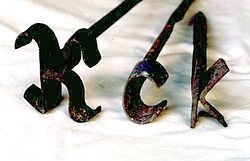
250px-Branding_irons-Dutch_K,_c,_and_kToday’s post will continue the discussion on building your brand through social Media, and today we’re taking on Facebook.

I can hear you screaming, “What brand? I don’t have a brand! Keep that hot iron away from me!” (Cue the theme music from “Rawhide”)

Well, I’m not asking you to be The Author with the Tolstoy Tattoo or anything, unless dead Russian authors really ring your bells. While that would garner attention at the family picnic or the opening night mixer at the writers’ convention, it’s not really a useful tool for getting your name out there.

What you want to do is Brand Yourself through social media.

You will probably write many books, so your book titles can’t be your brand, even if you are writing an epic fantasy series.  Neither my Tower of Bones series nor my Billy’s Revenge series can be my brand, because using their titles doesn’t focus the attention into one cohesive spot well enough.

So what IS your brand? I sat in on a webinar on marketing that was made available to me by the Pacific Northwest Writers Association this last weekend. While I didn’t learn anything I didn’t already know about marketing in general, this is what the presenter said, and it made sense to me:

Your Author Name is your Brand, so you must:

1.            Market the underlying theme that links your books–your AUTHOR NAME

2.            Communicate that brand though social media

3.            Blog, and communicate—write what you know or what you want to read and post it regularly

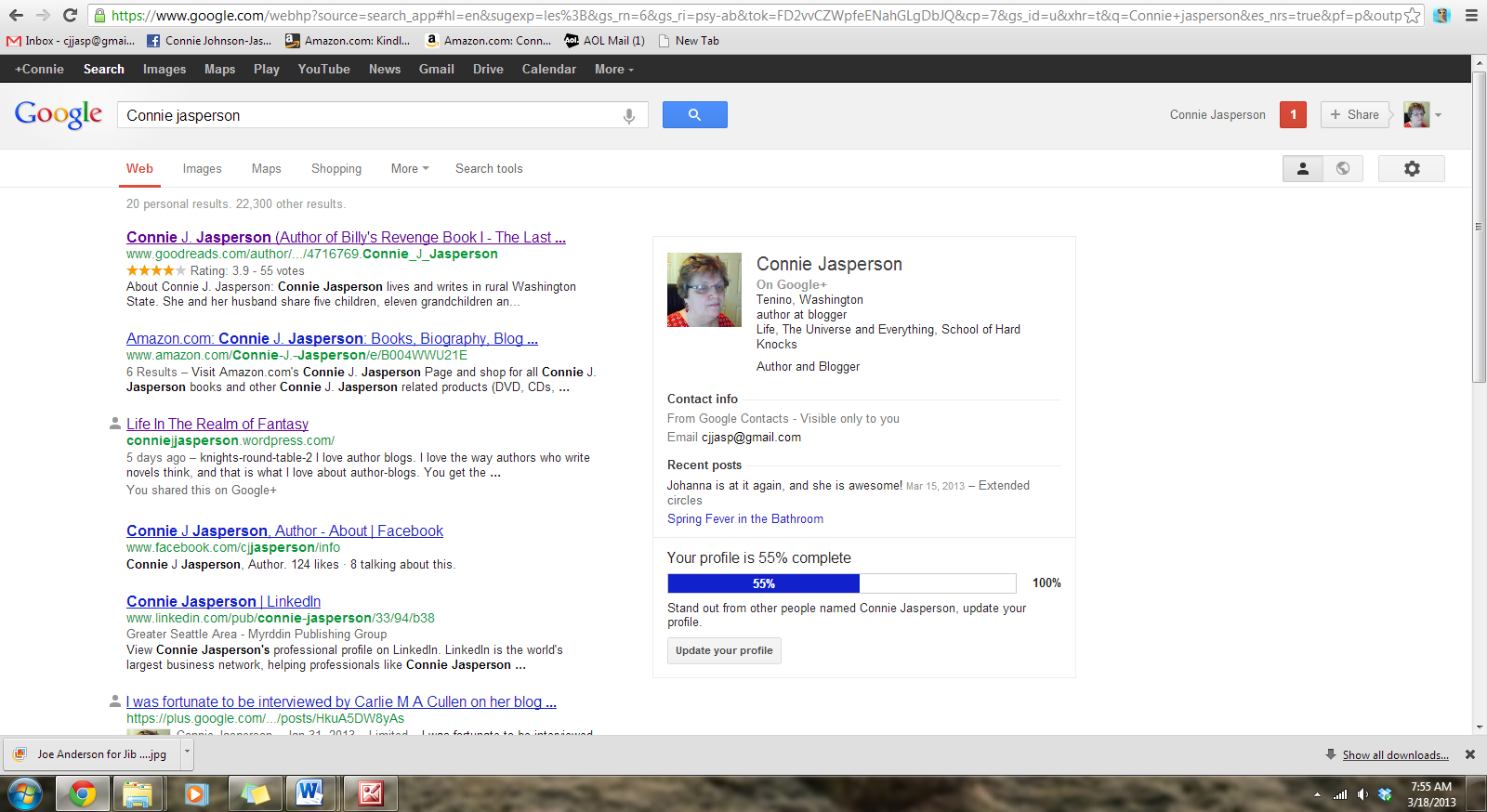
Yesterday you opened a twitter account.  Today you are going to make a Facebook Author Page.  If you look at my Google page from yesterday, the first 5 things come up in this order:

first page of google 3-18-2013

1>     My GoodReads profile (That will be our 5th and final workshop)

2>     My Amazon Author Page (Once we have all of these media pulled together and you have your book published you will put together an Amazon Author Page with links to all your media.)

3>     This blog, Life in the Realm of Fantasy (See? Regular blogging does pay off.)

4>     My Facebook Author Page

5>     My LinkedIn page

SO – today we are going to get ourselves out there on Facebook.  First, you must go to www.facebook.com and open a personal account if you don’t already have one. You don’t have to use it, but you can’t get a professional page without one. YOU REALLY DON’T WANT TO SPAM YOUR PERSONAL FB FRIENDS ABOUT YOUR BOOK—it’s rude and ruins folks’ cute kitty picture moments.

MH900444793

Once you have that taken care of, you go to the ‘create pages’ page, https://www.facebook.com/pages/create.php . There are 6 squares representing the various sectors of professional pages. You want to click on ‘public figure’.

fb pages chart

Click here  and a new menu will open up. You will select ‘Author’. Fill in your Pen Name exactly as you want it to be.  Place a check in the little box that says you agree to Facebook’s terms and click the ‘get started’ button.

This will take you to a place where you will fill in the blanks and soon you will have your professional fb page up and running.  You can use your personal page to invite your friends to ‘like’ your page once, that is not considered too rude.

My author page on Facebook is https://www.facebook.com/cjjasperson and I’ve fixed it up to represent me as a writer.  Everyone has a different style, this is mine.

You’re telling me it’s just like twitter—you don’t have anything to say. I am telling you that it IS EXACTLY like twitter.

You have plenty to say! You’re an author, you spew words out the ends of your fingers. Keep both your tweets and your Facebook posts light, and keep them short.  This is where you let your prospective fans know what is going on with your work. On  Facebook, occasionally post about things you are doing, such as word-count on a current project, the projected date of publication for the new novel, these sorts of things.

I linked this blog to something called Networked Blogs which is a Facebook app, and my blog posts automatically post to my professional page so that the content there regularly updates itself and my page doesn’t stagnate. That link is http://www.networkedblogs.com/syndication and it is a really good resource.

Now that you have your Facebook page, it’s time to get your Linked In account up and running and also your about.me account.  We will be discussing these two wonderful resources tomorrow!

6 Comments

Filed under Books, Fantasy, Humor, Literature, Uncategorized, writing