
Self-editing is not an easy task. As a rule, I don’t recommend it because we authors see what we want to see. However, hiring an editor is out of reach for some people, and we will discuss that further in the second half of this article.
 The publishing world is a rough playground. Editors for traditional publishing companies and small presses have a landslide of work to pick from and are chronically short-staffed. They can’t accept unprofessional work regardless of how good the story is.
Finding a freelance editor can be a challenge. A good way is to ask other authors who they recommend. Also, many freelance editors network through social media sites like Linkedin.
Another way is to google “how to find a freelance editor.”
 Before you hire an editor, check their qualifications and references. SFWA (Science Fiction & Fantasy Writers Association) has an article you should read regardless of the genre in which you write: EDITORS AND EDITING – SFWA
What to expect once you do hire an editor:
Many editors will ask for the first twenty pages of your manuscript at no cost to you. They will either accept your project or explain why it isn’t ready for editing. Submissions should be formatted as MS WORD documents using Times New Roman 12 pt. font. Some editors will ask for a different font, so format it in the style they require.
Using the ribbon at the top, on the far right-hand side of the home tab, click Select All. This will highlight your entire document. With the whole document highlighted, open the paragraph tab to drop down the formatting menu. The manuscript should be aligned left, creating a ragged right-hand margin. Sentences should be double-spaced with no extra space between paragraphs. The first line of each paragraph should be indented .5 and formatted using the ribbon (not the tab key).
If you have used the tab key to indent paragraphs, you can fix it by using one of the following ways.
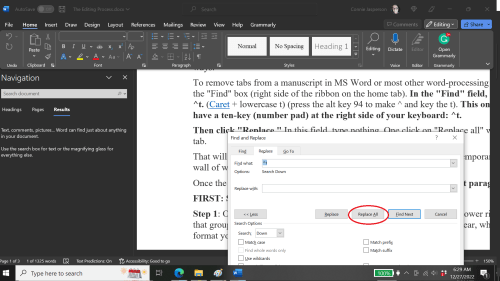
To remove tabs from a manuscript in MS Word or most other word-processing programs, open the “Find” box (right side of the ribbon on the home tab). In the “Find” field, type in ^t. (Caret + lowercase t) (press the alt key 94 to make ^ and key the t). This only works if you have a ten-key (number pad) at the right side of your keyboard: ^t.
Then click “Replace.” In this field, type nothing. Click once on “Replace all,” and it will remove every tab.
That will leave you with no indents whatsoever. Your manuscript will temporarily look like a wall of words, but you will resolve that.
Once the tabs are all removed, use the following instructions to format paragraphs.
FIRST: SELECT ALL. This will highlight your entire manuscript.
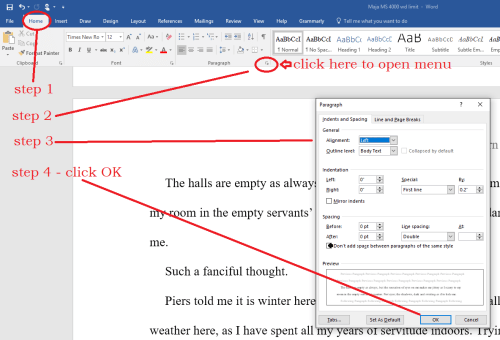
Step 1: On the Home tab, look in the group labeled ‘Paragraph.’ On the lower right-hand side of that group is a small grey square. Click on it. A pop-out menu will appear, which is where you format your paragraphs.
Step 2: On the indents and spacing menu: Use standard alignment, align LEFT. We use this format because we are not looking at a finished product here. We are looking at a rough draft that will be sliced, diced, and otherwise mutilated many times before we get to the final product.
Step 3: Indentation: leave that alone or reset both numbers to ‘0’ if you have inadvertently altered it.
Step 4: Where it says ‘Special,’ select ‘first line on the dropdown menu.’ On the ‘By’ menu, select ‘0.5.’ (Some publishers specify a different number, 0.3 or 0.2, but 0.5 is standard.)
Step 5: ‘Spacing’: set both before and after to ‘0.’
Step 6: ‘Line Spacing’: set to ‘double.’
If you don’t have a ten-key pad, you must remove each tabbed indent by hand. Beginning with the first paragraph on the first page, scroll down and use the backspace key to remove the tab indenting every paragraph.
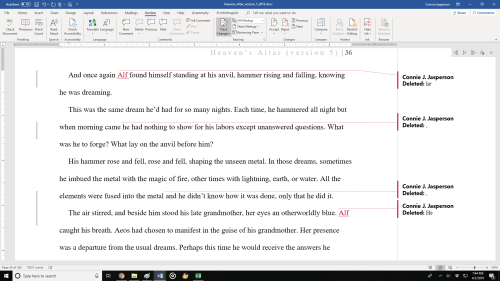
The editor will probably use the track changes function in MS Word. They will return your manuscript with their suggestions for revisions, highlighted in red and noted in the review column on the right-hand side of the document. You will use the track changes function to accept or reject each suggestion. This is what track changes looks like when you get the manuscript back:
Also, you might receive a separate report detailing the editor’s overall impressions of your manuscript’s strengths and weaknesses.
During the editing process, a word-frequency report might be generated. A style sheet will probably be developed for usages and unique spellings that may pertain to your manuscript. Via email, you and the editor might discuss the names and usages that may differ from standard spellings to create that style sheet. A good editor will respond to your questions as soon as they receive your email.
We overlook many flaws when trying to self-edit our work because we are as immersed in visualizing the scene as we were during the moments when we first wrote it. Our eyes see what we imagine to be there rather than the typos or missing words.
 If you’re a member of a writers’ group, you have a resource of people who will beta read for you at no cost. As a critique group member, you will read for them too.
Be careful how you phrase your comments on their work. Be accurate and find positive things to point out as well as areas that need work.
For those who can’t afford a full professional edit, there is a way to make a pretty good stab at editing your own manuscript. However, it is time-consuming, which is why an editor’s services are not cheap.
Open your Manuscript.
Break it into separate chapters by copying and pasting each individual chapter into a new document. Doing this preserves the original manuscript and breaks it down into manageable chunks.
Save the chapters in a new file labeled with the word “revisions.” Example: Barons_Hollow_revisions_12-22-2022
 Clearly and consistently label each chapter. Ensure the chapter numbers are in the proper sequence, and don’t skip a number. I would label my individual chapter files this way:
- BH_ch_1
Print out the first chapter. Everything looks different printed out, and you will see many things you don’t notice on the computer screen.
Turn to the last page. Cover the page, leaving only the final paragraph visible.
- Starting with the last paragraph on the last page, begin reading, working your way forward.
- Look for typos and garbled sentences.
- With a yellow highlighter, mark each place that needs correction.
I can’t stress the importance of the following observation strongly enough:
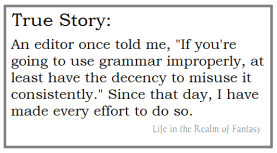
YOU MUST UNDERSTAND AND OBEY THE BASIC RULES OF GRAMMAR. Those who think the standard grammar rules don’t matter to readers are doing their work and reputation a disservice.
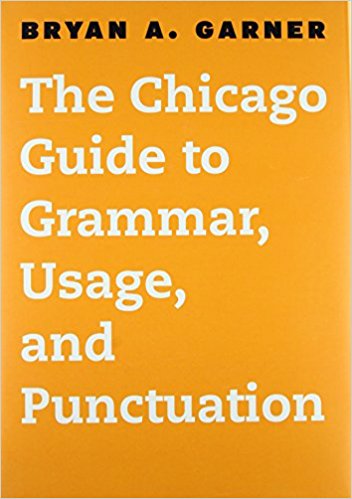
 If you are writing in the US, you might consider investing in Bryan A. Garner’s Chicago Guide to Grammar, Usage, and Punctuation. This is a resource with all the answers to questions about grammar and sentence structure. It takes the Chicago Manual of Style and boils it down to just the grammar.
For a quick one-page reference, here is a link to an article I posted on the basics of grammar:
Fundamentals of Grammar: seven basic rules of punctuation
Punctuation is not an area where we can cut corners. It serves as the traffic signals, affects pacing, and avoids verbal chaos. Most readers won’t notice the grammar if you have a good grasp of the basics and are consistent.
When you have finished, you should have someone you trust read it for typos and copy/paste errors you might have missed. It doesn’t have to be perfect, but readers want to enjoy the book, not struggle through garbled sentences.
The New Year approaches, and many books will be indie-published novels written during NaNoWriMo. Will they be readable and enjoyable? If the authors took the time to have their work edited and seen by their writing group first—then yes, probably so.
Whatever you write, and whatever your publishing path, I wish you a blessed New Year. May the well of inspiration never run dry!

 I have talked about this novella many times, as I think it is one of the most enduring stories in Western literature. The opening act of this tale is a masterclass in how to structure a story.
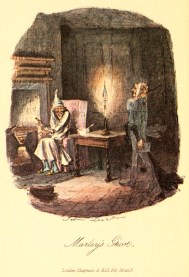 “Marley was dead, to begin with. There is no doubt whatever about that. The register of his burial was signed by the clergyman, the clerk, the undertaker, and the chief mourner. Scrooge signed it. And Scrooge’s name was good upon ‘Change for anything he chose to put his hand to. Old Marley was as dead as a doornail.”
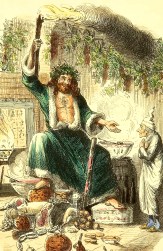 As I mentioned before, this book is only a novella. It was comprised of 66 handwritten pages. Some people think they aren’t “a real author” if they don’t write a 900-page doorstop, but Dickens says differently.
 For me, revisions begin with the second draft and sometimes involve radical changes to the storyline or character arcs. I may take a manuscript through many drafts before finally getting the story right.
 NEVER DELETE months of work. Don’t trash what could be the seeds of another novel. Save it in an outtakes file and use it later. I give the subfile a name like HA_outtakes_20Dec2022. That file name tells me the cut chapters were last changed on December 20, 2022.
 Then, I give the second draft a new file name: Heavens_Altar_version_2, which becomes the version I work on out of the main file folder.
 Either way, the characters will be profoundly changed from who they thought they were on page one, becoming who they are when the final sentence is written. The character arc is formed by their experiences.
 True inspiration is not an everlasting firehose of ideas. Sometimes there are dry spells. If you take another look at the work you have cut and saved in an outtakes file, you might see it with fresh eyes. You might see the seeds of a different story, and the fire for writing will be reignited.
 I understand that slight incompatibility has been resolved. In my opinion, both programs are good, and both have pros and cons.
 Most word processing programs have some form of spellcheck and some minor editing assists. Spellcheck is notorious for both helping and hindering you.
 You might disagree with the program’s suggestions. You, the author, have control and can disregard suggested changes if they make no sense. I regularly reject weird suggestions.
 I am wary of relying on Grammarly or ProWriting Aid for anything other than alerting you to possible problems. If you blindly obey every suggestion made by editing programs, you will turn your manuscript into a mess.
 Also, it never hurts to have a book of synonyms on hand. We all tend to inadvertently repeat ourselves, and the Read Aloud function will shed light on those crutch words. A dictionary of synonyms and antonyms can help us find good alternatives.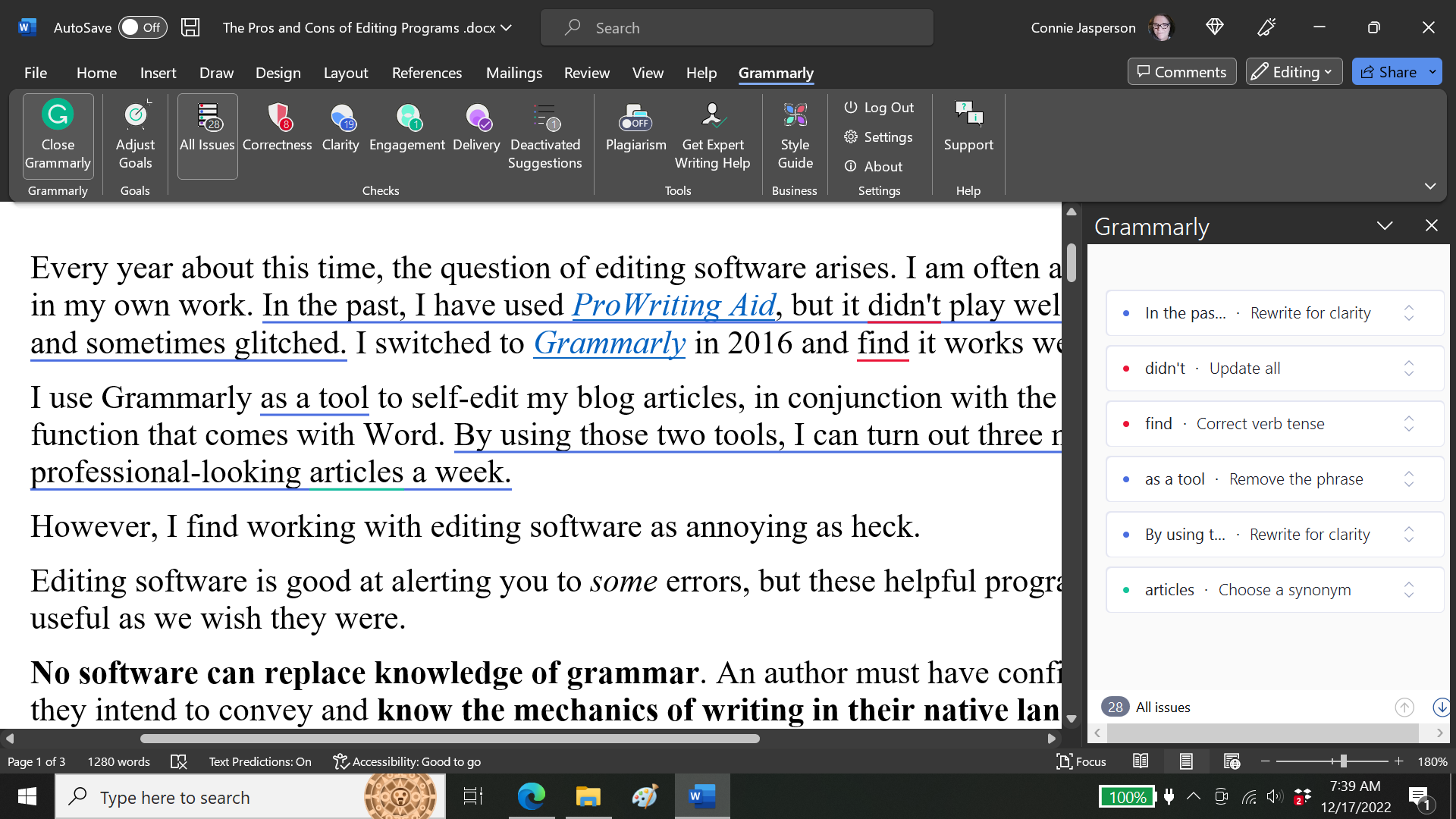
 Our universe is a mysterious, stunning place. One puzzle that has occupied scientists for decades is the observable fact that our universe has more matter and energy than it should.
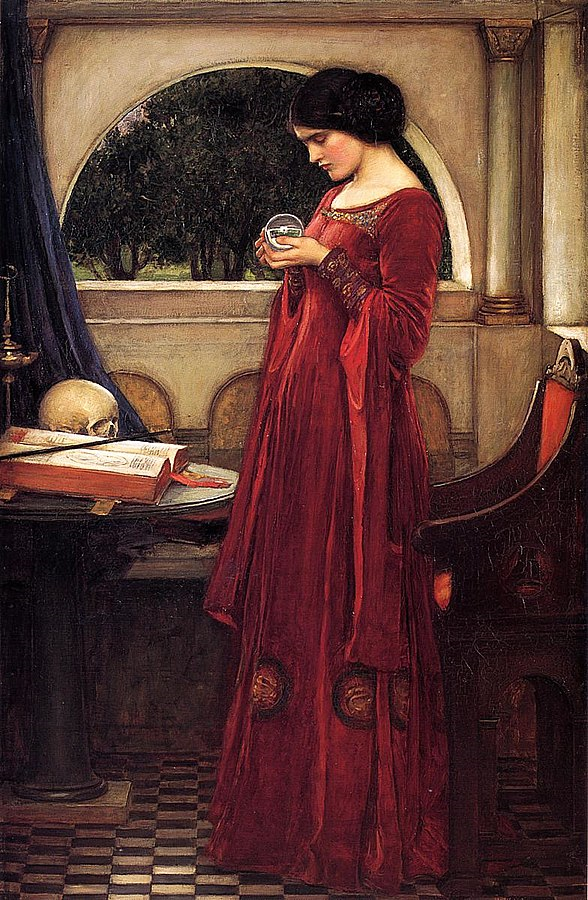 Since mainstream science still pooh-poohs its existence, telepathy and empathic abilities are whatever we who write books decide they are. I choose to see telepathy as an extension of the dark energy that scientists admit is all around us. Some people can tap into it, but others can’t.
 If a real person had the kind of power that our fictional empaths wield, we would hope they were noble, compassionate, and above all, respectful of other people’s wish for privacy. We would want them to be principled, a person who would never rummage in people’s minds uninvited.
 How will you describe it when they are healing on a cellular level? Some authors describe the act of healing as evil-looking lights changing to a healthier color. Others describe healing as angry-looking threads that must be untangled. Still other authors describe it as a feeling of evil that must be smoothed away.
 As a younger reader, I gravitated to fantasy books that feature telepathy, healing, and magic. Two series with well-designed magic and empathic systems are:
 Superpowers are both science and something that may seem like magic, but they are not. Think Spiderman. His abilities are conferred on him by a scientific experiment that goes wrong.
 Fortunately, Irene is editing the final draft of a book I finished during lockdown. She sends me one or two chapters with notes for final revisions each evening. That makes me happy—it’s been a while since I published a book.
 Agency is an integral aspect of the craft of writing. It means allowing your characters to make decisions that don’t necessarily follow the original plot outline. This gives them a chance to become real, the way
  Sometimes we can visualize a complex theme but can’t explain it. If we can’t explain it, how do we show it? For me, that is the real struggle. Grief is a common theme that can play out against any backdrop, sci-fi or reality-based, where humans interact emotionally. But it is a complex theme, and people all react differently to it.
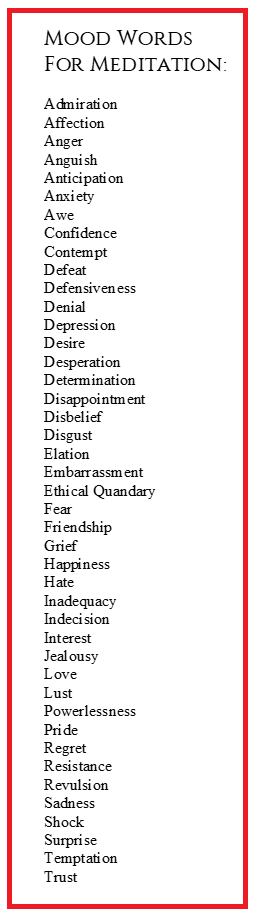 Highlighting a strong theme is challenging, even when I begin with a plan. But once I have identified these personal themes, I’ll be able to write their stories. I’ll use actions, symbolic settings/places,
  We often see memes and quotes about writing that resonate with us. Quotes often become memes because they are true and memorable and sometimes poke fun at us.
 However, obscure and pretentious prose (such as I enjoyed laying down in the preceding sentence) annoys the majority of readers. I want my work to please a reader, so I don’t indulge in ostentatious phrasing except in poetry.
 Now that I have most of the foundation built for my novel (the ending is not written), I find myself going back and looking at places where I inserted notes to myself, using red fonts. These are messages like: Build tension between the factions here. Show how it affects the group’s mood. Or another note: Need an atmosphere of fear.
 I know how I want the story to affect a reader’s emotions—it’s perfectly shaped in my head. The trick is making that vision come true in writing. It may take a year or more to get the mood and atmosphere to feel the way I envision it.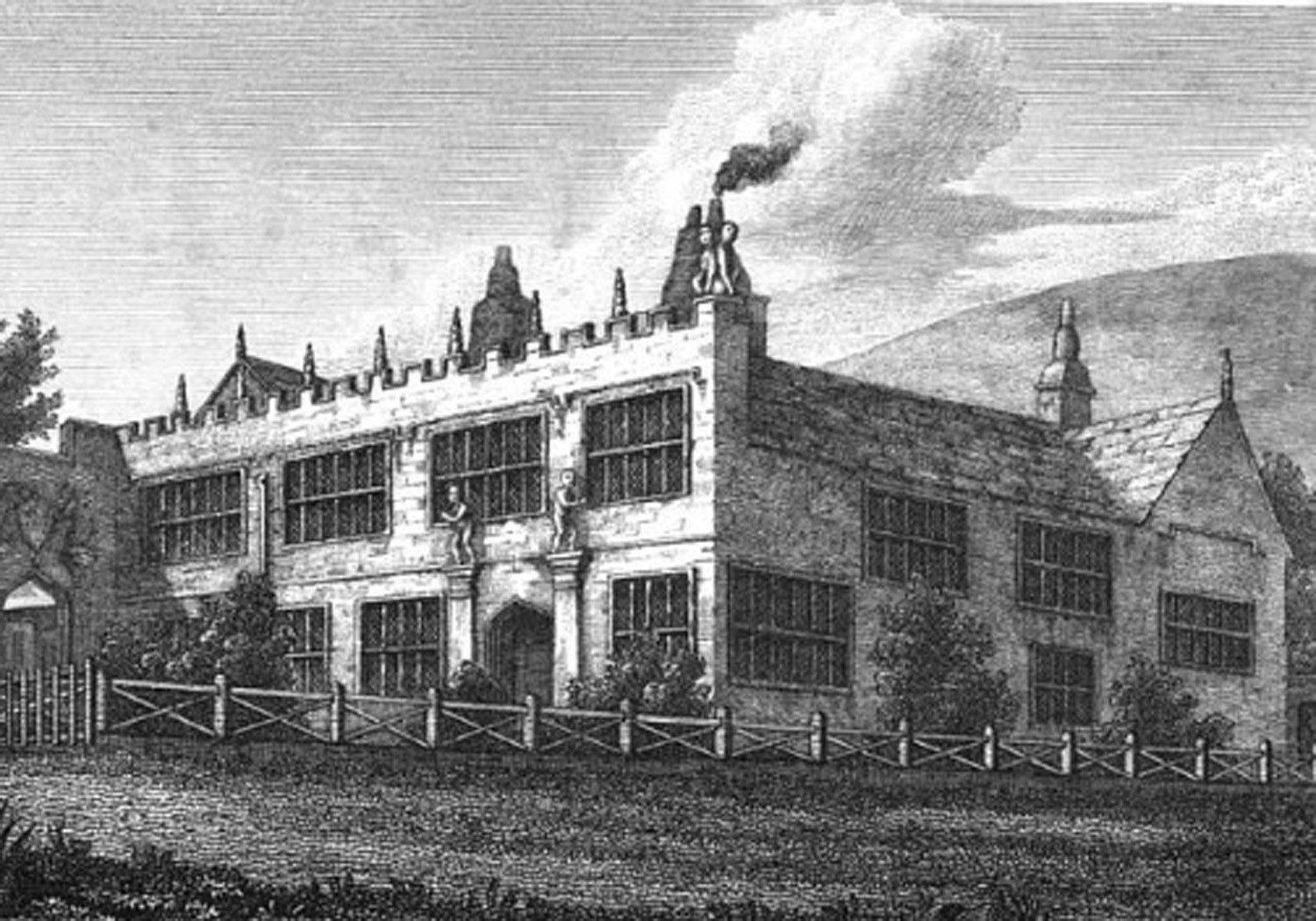
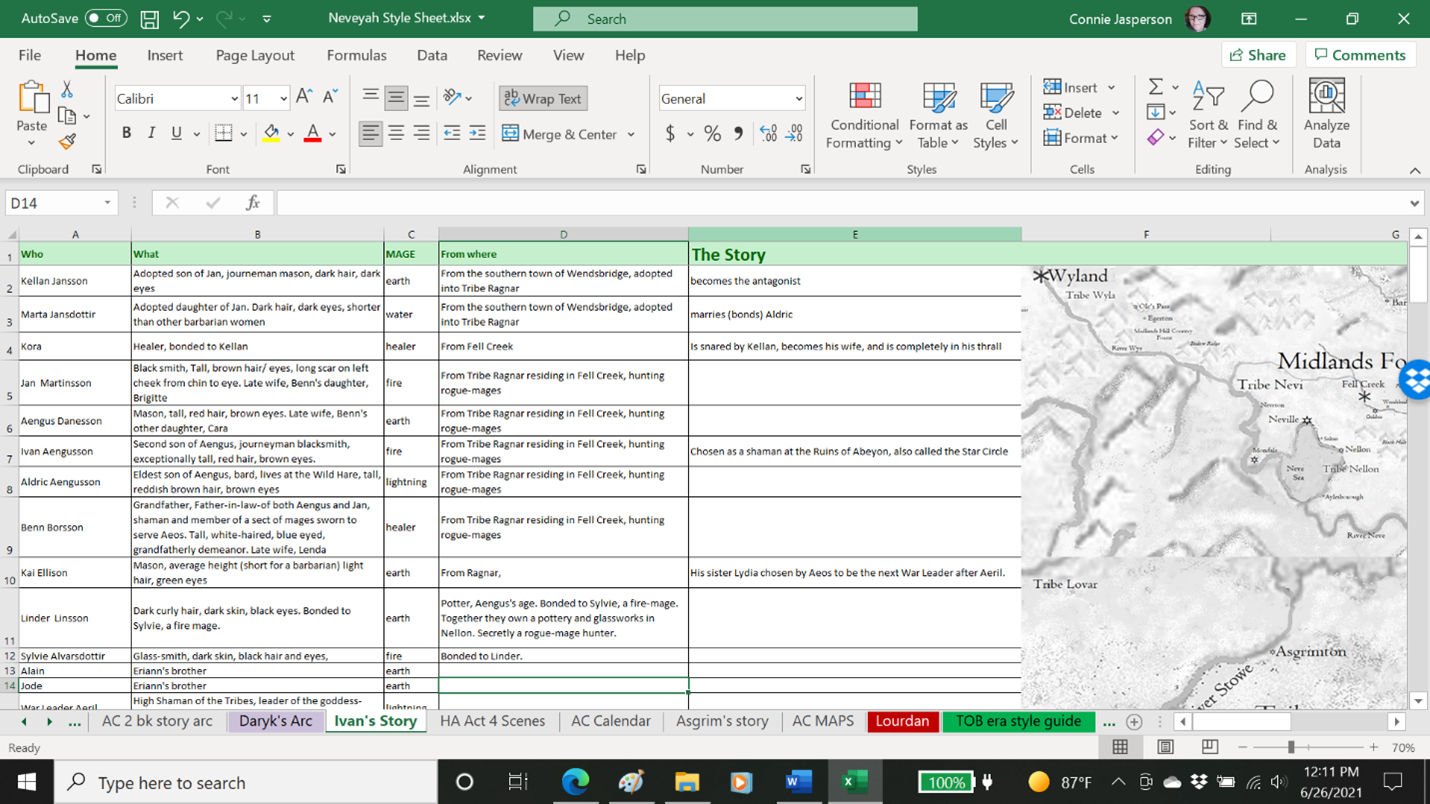
 When a manuscript comes across their desk, editors and publishers create a list of names, places, created words, and other things that may be repeated and pertain only to that manuscript. This is called a stylesheet.
 For short stories, the stylesheet will probably be a Word document. I have written them out by hand on occasion. You can create them in Google Sheets or Docs, which is free.
 Page Two: The projected story arc will be on page two of the workbook. I list each chapter by the events that need to be resolved at various points in the manuscript.
 We never really know how a story will go, even if we begin with a plan. We will probably deviate some from the original outline. Usually, for me, the major events will remain as they were plotted in advance, even though side themes will evolve. The outline keeps me on track with length and ensures the action doesn’t stall.
 The plot usually evolves as I write each event and connect the dots. In one instance, it was completely changed. The original plot didn’t work at all, so drastic measures had to be taken.


 Life in the Realm of Fantasy